One Per Aggregations in PeopleStage
One Per Aggregations in PeopleStage are useful when you want to campaign to a Person level but output transactional fields. For example, in our Holidays demo data, we have a Bookings table which is transactional to the Person table. We might want to output information such as the Date of the First Booking, the Destination of the 2nd Booking, the Last Booking Date, the Cost of the most recent Booking etc.
All of these could be produced as on-the-fly aggregations in FastStats.
An alternative approach is for an administrator to pre-configure one-per-aggregations within PeopleStage. When these have been configured, if a user drags and drops a transactional variable onto a Content step then the user can choose between the pre-configured one-per aggregations.
To configure these you need to have the Campaign Channel Editor role applied.
Log into PeopleStage as a user who has access to the Editor menus.
Log into PeopleStage as a user who has access to the Editor menus.
From the File menu choose Administration > One Per Aggregations Editor
Click New aggregation
Click New aggregation
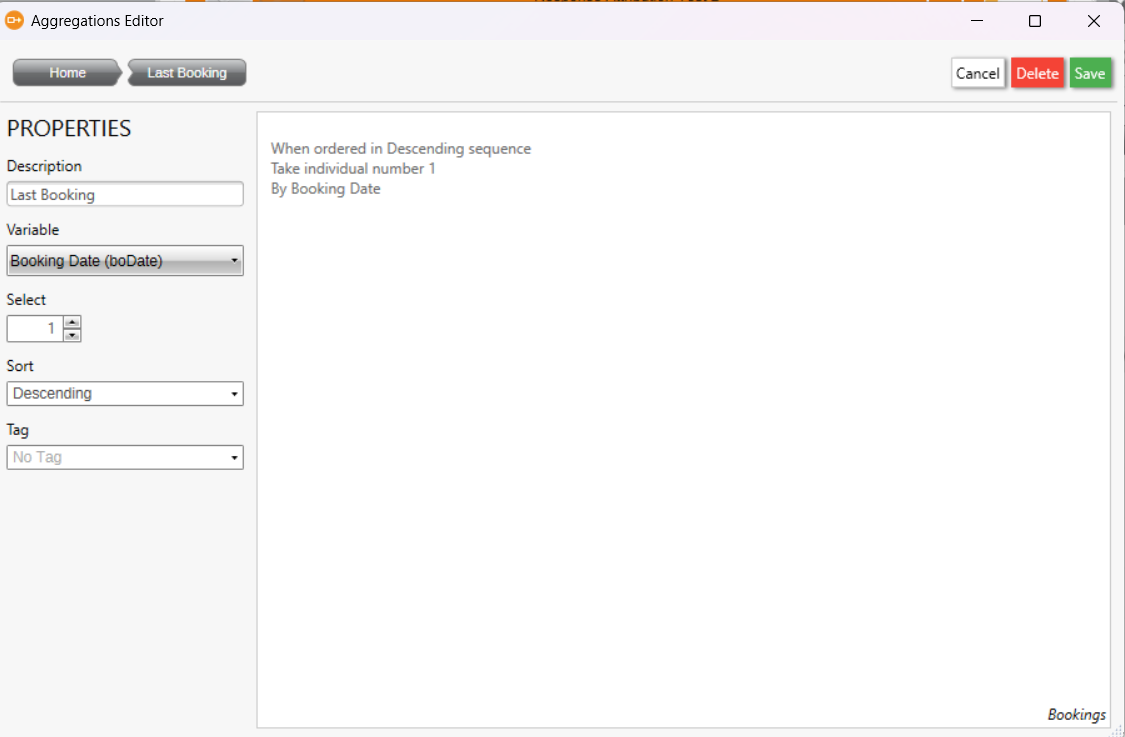
Give the aggregation a suitable Description e.g. 'First Booking', 'Last Booking', 'Second Booking' etc.
For the Variable dropdown choose the variable which is used for ordering the transactions (this will be Booking Date in our example)
For the Variable dropdown choose the variable which is used for ordering the transactions (this will be Booking Date in our example)
Set the Sort to Ascending or Descending (if we want the First 1 then we need Ascending)
Set the Select to be the number of the transaction that we need (e.g. 1 for the earliest transaction, 2 for the 2nd one etc. (ascending) of 1 for the latest, 2 for the 2nd latest (descending))
The above example shows the first booking.
This example below shows the last booking aggregation:
Click Save to save the aggregation
Click Save to save the aggregation
The defined list of one-per aggregations will be shown:
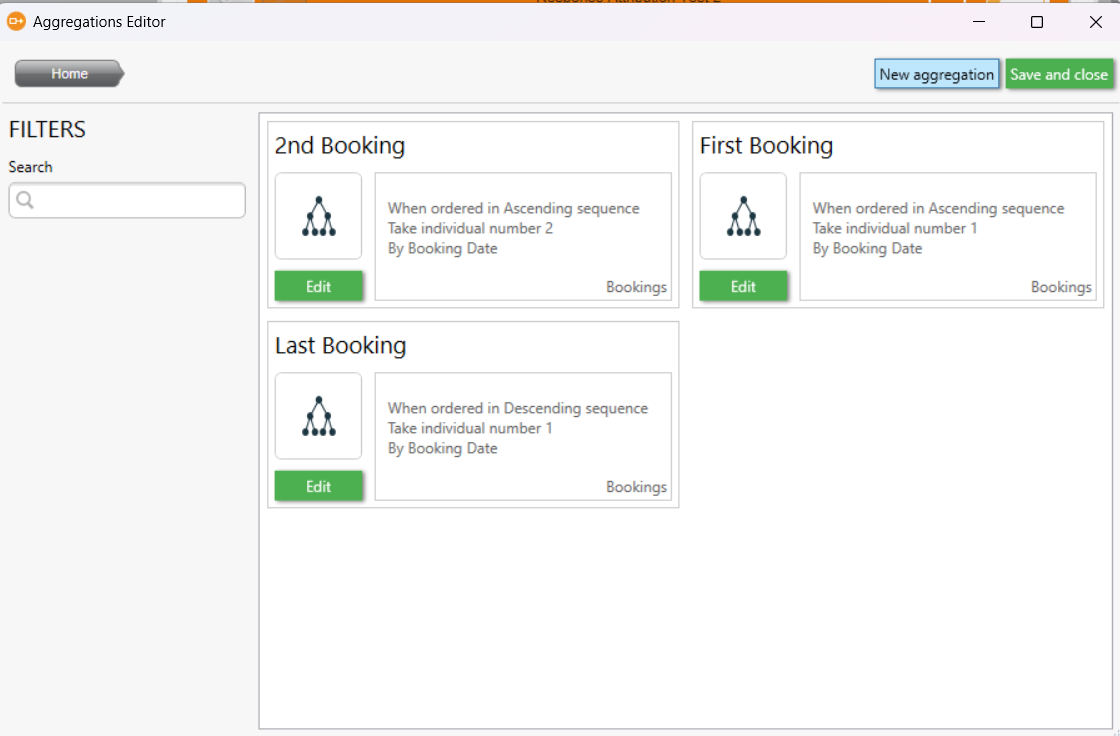
You can use the Edit buttons to edit any existing aggregations.
You can use the Edit buttons to edit any existing aggregations.
When aggregations have been defined, if a user drags on a transactional variable onto a content step then the aggregations will be offered.
The example below shows the Destination variable being added to the Content step.
The example below shows the Destination variable being added to the Content step.
This is on the Bookings table and so is a transactional variable.
The user gets the option to choose one of the aggregations in order to pick either the 1st booking, 2nd booking or last booking.
You can then drag on transactional level selections onto the All Bookings table in order to filter the aggregation.
As an example, let's say I want to return the first booking to Germany.
I could create a transactional selection on the Bookings table of Destination = Germany and save this as 'German Bookings', say.
I could then refresh the PeopleStage library and drag this Bookings-level selection in place of the All Bookings.
All we would then need to do is choose the pre-defined First Booking one-per aggregation.
The above example shows the variable Booking Date has been dropped onto the Content step.
The aggregation of 'First Booking' as been applied but it has been filtered to German Bookings so this will return the date of the first Booking to Germany.
Related Articles
Cannot access Orbit Audiences in FastStats and PeopleStage
If the system has been configured correctly then you should be able to access Orbit Audiences from within FastStats and PeopleStage. This is useful because you might have an Audience created within Orbit which you want to refer to in a FastStats ...Import a list of dates and URNs and run a selection to find the date in the system with the same URN and previous to the one in the list.
A client asked us for a method of importing a list of URNS and Dates, into an existing FastStats system, and then to suggest a method to compare the imported date to other dates for the same URN in order to then provide the previous date attached to ...PS Unable to find the versioned file
In Q3 23 we changed the default stance on versioned selections to error if it can not find the latest version available for the selection that is being used in the Campaign. To revert this back to use versioned files in the db, please set this in the ...Adding Communications tables for Campaign Objectives
Campaign Objectives in Orbit require response attribution. In order to report on this, the FastStats system needs to have the standard PeopleStage/Campaign tables included. You can add these to an existing design by using the Merge functionality ...Combining Table Results in Orbit using a CubeLookup Expression
Sometimes it is useful to be able to get results from a Table in Orbit and use them in another Table. Within Orbit, it isn't currently possible to refer to results in one tile within another one. However, we can use a combination of some powerful ...